
For
cafés
Keep on top of checks between serving customers.
The food safety app for UK kitchens. Your team logs temperatures, deliveries and checklists on their phones, and every record is there when the EHO asks.
14 days free. No card needed.

Pick the fridge, type the reading, tap save. Lemon tells you straight away if it is too warm or too cold.
Try it: type a reading on the keypad below, such as 7.5, and see what Lemon does.
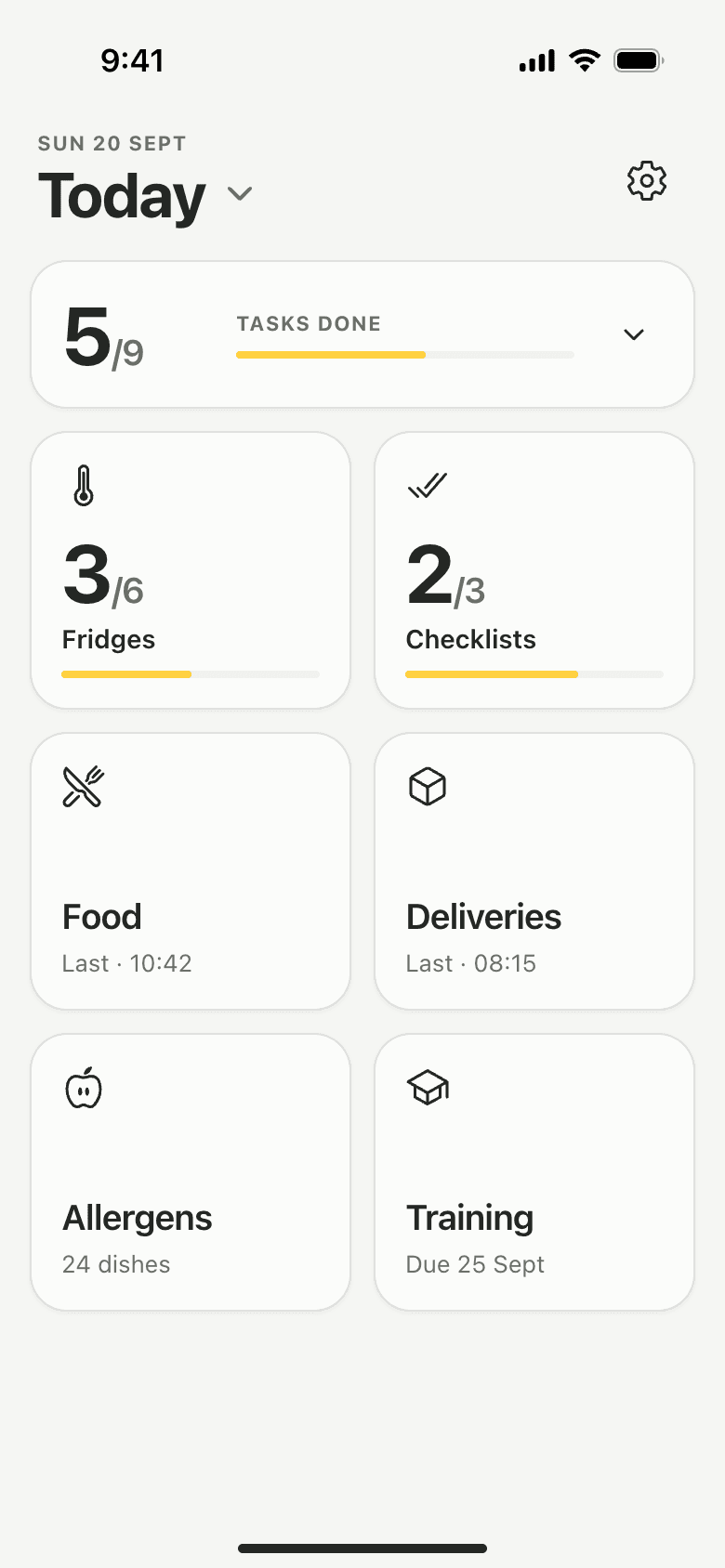
Deliveries, food temperatures, allergens and closing checks, on every phone in the team. Here is a day with Lemon.


Ready to replace the paper diary?
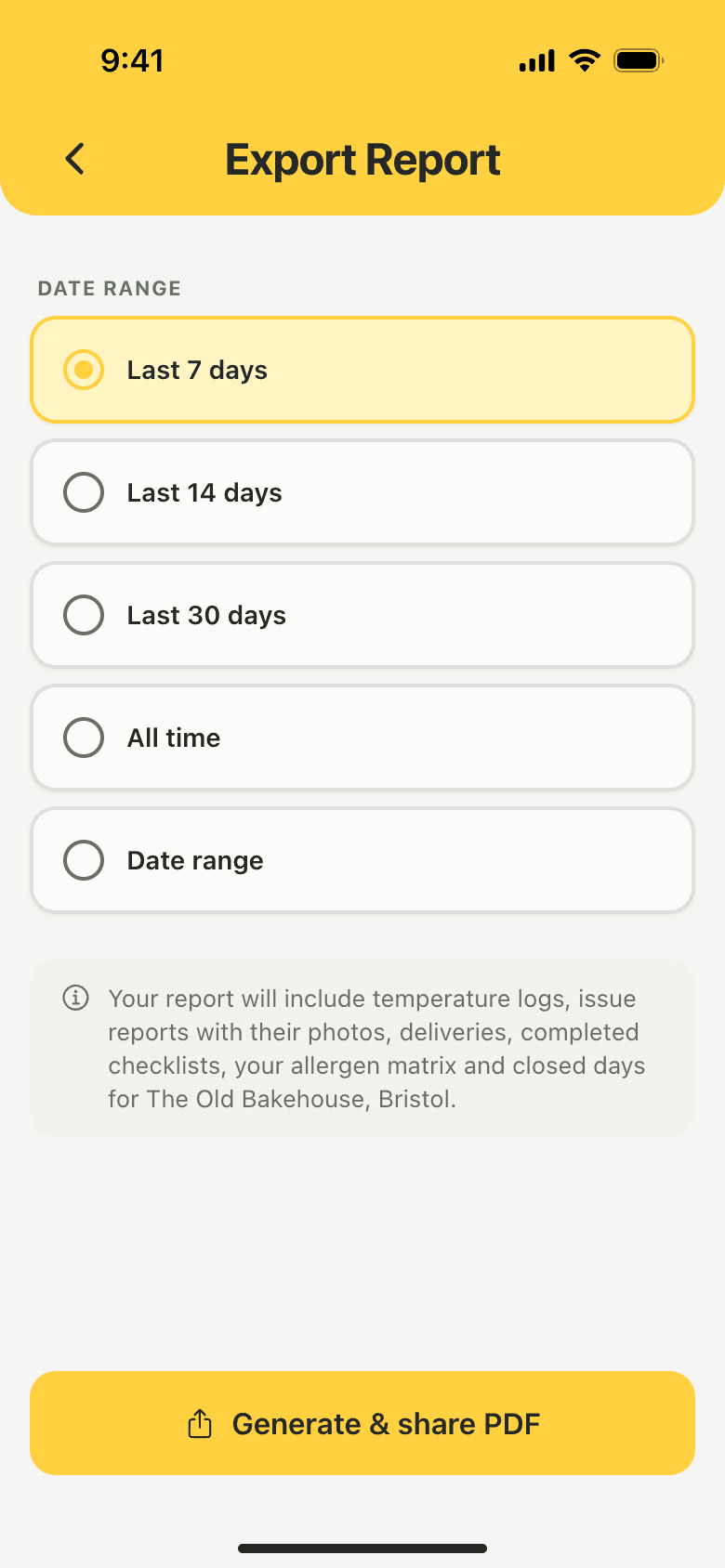
Pick a date range and share one PDF from your phone: temperature logs, food checks, missed checks, issues with photos, deliveries, checklists and your allergen matrix.
“The EHO turned up unannounced last month. I emailed our last six months of logs from my phone in under a minute. Five-star rating.”
Keep on top of checks between serving customers.

Every chef logs on their own phone, into one shared record.

Your records travel with the van.

Allergen info and opening checks, ready before you open.
Two kitchens, in their own words.
“We used to spend three hours a week on paperwork. With Lemon the closing team just taps through the checklist and we're done.”
“Our KPs love it. No one forgets the PM fridge temps anymore because the app just nags you until it's done.”
14 days free, no card needed. The trial includes training.
Running several sites? See Lemon MultisiteSomething else on your mind?support@getlemon.app
No. Lemon keeps your daily records. It does not write your HACCP plan or replace your safe methods. If you use SFBB, keep your safe methods and diary sign-off alongside your Lemon records.
Yes. FSA guidance lets you keep food safety records electronically, as long as they are accurate and you can produce them when an inspector asks. Lemon exports your food-safety records as a PDF, so you always have something to hand over.
Yes. Training is included in the £19 and in the free trial. Six courses cover food hygiene, allergens, food safety management and supervision, fire safety and first aid awareness. Owners and managers assign them in the Lemon app, and staff learn in the same app.
Partly. Temperature readings, food checks, deliveries and issue reports are saved on the phone first and sent when the connection returns, even if the app is closed in between. Checklists still need a connection, and so does signing in on a phone for the first time.
The trial lasts 14 days and needs no card. To keep recording, the owner subscribes on the web at £19 per location per month, and subscribing early starts the paid plan straight away. If recording pauses, your records stay available to your team for review and export.
Lemon is a food safety record-keeping app for UK kitchens. Teams use it to record temperatures, food checks, deliveries and checklists, then review named records and export food-safety reports as PDFs.
Lemon is designed for restaurant owners, chefs and kitchen managers who want their everyday food-safety records in one place. It suits kitchens that take and record their own checks, including restaurants, cafés, pubs and takeaways.
You can export food-safety records and the allergen matrix as PDFs. On a phone, use the sharing options to save or send the report. On the web, use your browser's print or Save as PDF option.
Yes. An owner or manager can enable the optional allergen matrix, add dishes and record what each one contains and may contain. The team can read it and export a PDF. Your business needs to check the information against its recipes and supplier specifications and update it when those change.
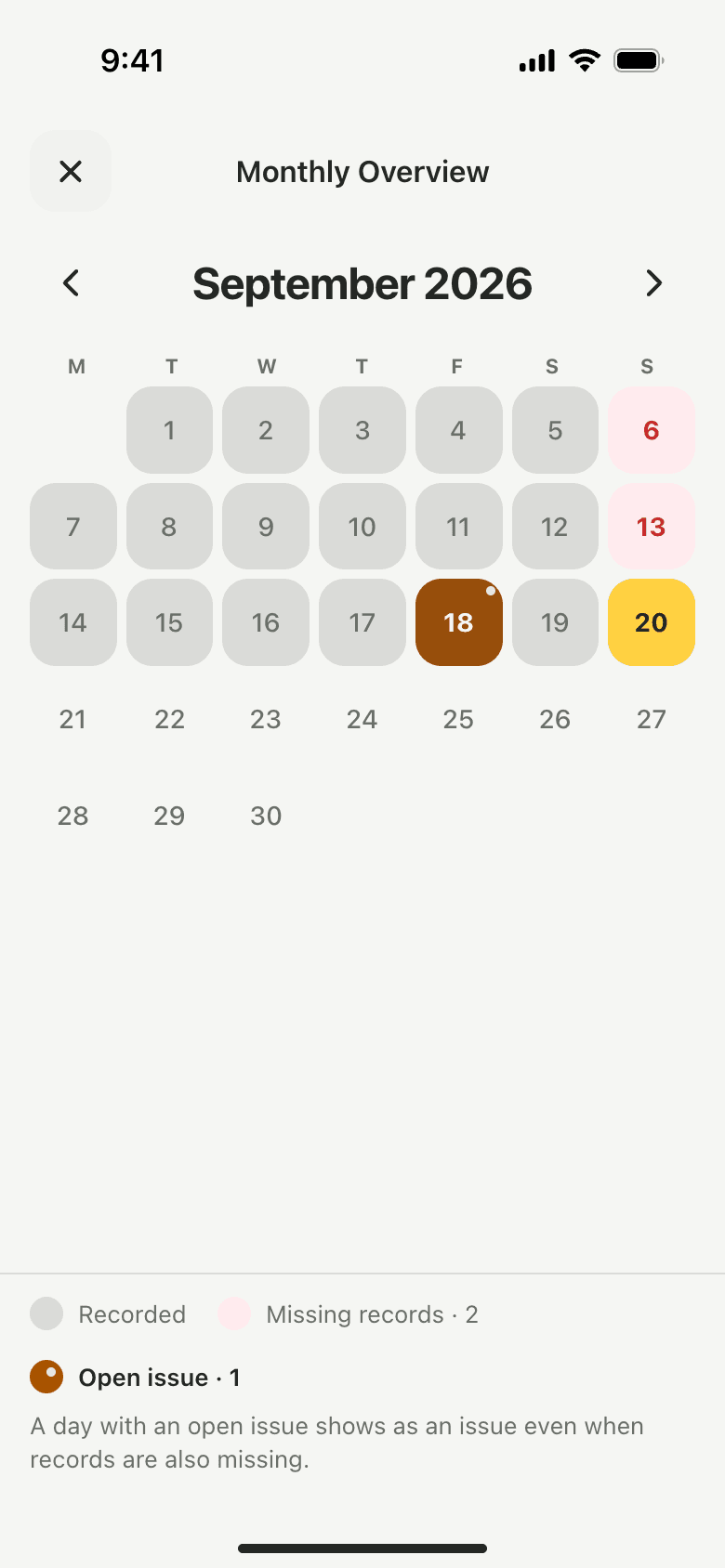
An owner or manager marks the days in Settings, under Pause Recordings: the days you always close each week, or a one-off closure with a reason, such as an annual holiday. Those days show as closed in the monthly overview instead of as missing records, and your exported report lists the closures.
Yes. Lemon keeps each location's team and records separate, and owners can manage more than one location. Subscription pricing is per location. Check the available features against your needs before choosing Lemon for a wider group rollout.
Yes. New owners set up their account and first kitchen on the web, then sign in on their phone. Existing team members use their own accounts. The iPhone app is designed for signing in to an existing kitchen, and it runs on iPad too.
The account owner manages the subscription through the web account. Use the billing options there to review the current plan and manage payment or cancellation. You can cancel at any time; cancellation takes effect at the end of the current billing period.
Yes. Owners and managers can share the team's training records from the Training screen in the app as a spreadsheet file, with each assignment and completion. It opens in Excel or Google Sheets. Course certificates are PDFs, and kitchen records have their own PDF export.
No card needed. Set up your kitchen in about five minutes, then bring the team in from their own phones.


